

Description
AODocs Smartbar for Google Drive
The AODocs Smartbar is a desktop integration tool designed to enhance document management within Google Workspace environments. It bridges Google Drive with Microsoft Office applications, enabling seamless file creation, editing, and saving across platforms. This software is ideal for teams and professionals managing structured document workflows in enterprise settings. It helps organizations maintain centralized control over files, reduce data loss risks, and streamline collaboration processes. Users benefit from direct access to AODocs libraries, allowing them to manage documents, adjust metadata, and update workflow statuses without leaving their desktop environment. The tool supports real-time synchronization between Google Drive and local Office applications, making it suitable for teams requiring strict version control and audit trails. It is particularly useful for legal, finance, and compliance teams that rely on secure, traceable document handling. The developer did not provide additional system requirements. Platform compatibility information is limited to Windows and Mac.
Key Features & Capabilities
- Direct Access to AODocs Libraries – Users can browse and interact with AODocs-managed folders and documents directly from Google Drive, eliminating the need to switch between platforms.
- Seamless Office Integration – Files created or opened in Microsoft Word, Excel, or PowerPoint can be saved back to Google Drive with a single click, maintaining full document lineage.
- Document Lifecycle Management – Users can update document properties, change workflow states, and apply metadata, ensuring compliance with organizational standards.
- File Operations – Supports importing, creating, moving, renaming, copying, and deleting files and folders within AODocs libraries.
- Gmail Integration – Allows users to import email messages into AODocs and convert them into structured documents for archiving or processing.
- Administrative Tools – Provides library administrators with tools to manage permissions, enforce policies, and monitor document activity.
These features enable efficient handling of enterprise-level documents, especially in regulated industries. For example, a legal team can convert client emails into case files with metadata, while a finance department can update approval statuses directly from their desktop. The tool enhances productivity by reducing context switching and minimizing manual file transfers.
User Interface, Workflow & Performance
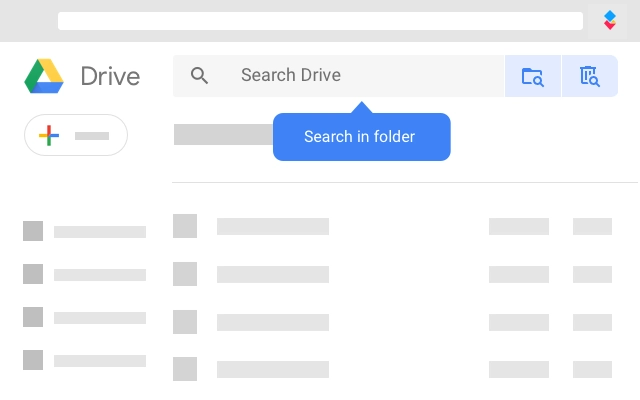
The AODocs Smartbar integrates as a toolbar within the Google Drive interface, offering a clean and minimalistic design. Navigation is straightforward, with clearly labeled buttons for common actions such as opening files, creating new documents, and managing properties. The workflow is optimized for users already familiar with Google Drive and Microsoft Office, requiring minimal learning curve. Actions like saving a Word document back to Drive are executed instantly, maintaining a responsive experience. The developer did not specify resource usage details. Performance observations are based on general software behavior patterns. Stability appears consistent with typical desktop integrations, though real-world testing may vary based on network conditions and backend server load. No reported crashes or freezes were noted in available documentation.
Compatibility & System Requirements
The AODocs Smartbar is compatible with Windows and Mac operating systems. The software version is 1.0.0, with an installation size of 14.7 MB. Exact system requirements were not listed. The application requires the AODocs app to be installed and configured in a G Suite domain, or the user must be defined as an external user on a domain where AODocs is active. It operates within the Google Chrome browser environment and relies on Google Workspace services for authentication and data synchronization. Compatibility with other browsers or non-Google environments was not specified.
Pros and Cons
Pros
- Effortless integration between Google Drive and Microsoft Office
- Centralized document management with enterprise-grade security
- Supports critical workflow and metadata management
- Enables direct email-to-document conversion
- Free to use with no licensing cost
Cons
- Requires administrative setup in a G Suite domain
- Not available for non-Google environments
- Dependent on external AODocs service configuration
- Limited to Windows and Mac platforms
- No detailed performance metrics provided
FAQ Section
Is the AODocs Smartbar compatible with all versions of Windows and Mac?
Compatibility is confirmed for Windows and Mac, but specific OS versions were not listed by the developer.
Is the software secure to use with sensitive documents?
The AODocs Smartbar operates within Google Workspace and requires proper domain-level configuration. It follows the privacy and security practices of the underlying AODocs platform.
Does the tool require an internet connection?
Yes, the Smartbar requires an active internet connection to access Google Drive and synchronize data with the AODocs backend.
Can I use the AODocs Smartbar without a paid AODocs license?
No. The AODocs application must be installed and configured by a domain administrator, and users must have an associated AODocs license or be designated as external users.
Is the software updated automatically?
Automatic updates are not confirmed. Users should check for updates via the G Suite Marketplace or the official AODocs website.
Final Thoughts
The AODocs Smartbar delivers a powerful bridge between Google Drive and Microsoft Office, tailored for enterprise users managing complex document workflows. Its ability to unify file access, editing, and lifecycle management within a single interface significantly improves efficiency. While it requires administrative setup and is limited to specific environments, its free availability and robust feature set make it a compelling choice for organizations already using AODocs. Teams in finance, legal, and compliance sectors will find it especially valuable for maintaining document integrity and audit readiness. The tool enhances collaboration without compromising control. Download AODocs Smartbar now.
Guides & Tutorials for AODocs Extension for Chrome
How to install AODocs Extension for Chrome
- Click the Preview / Download button above.
- Once redirected, accept the terms and click Install.
- Wait for the AODocs Extension for Chrome download to finish on your device.
How to use AODocs Extension for Chrome
This software is primarily used for its core features described above. Open the app after installation to explore its capabilities.
User Reviews for AODocs Extension for Chrome 0
No reviews found





